
A practical decision guide for outage protection, comfort, and ROI (especially under California’s Net Billing Tariff)
Power outages in the East Bay and greater Bay Area aren’t just an inconvenience—lost refrigeration, Wi‑Fi, medical devices, or a hot house during a heat event can turn into a real problem fast. If you’re considering a home battery, the most important early choice is whether you want essential loads backup (power the “must-haves”) or whole home backup (power nearly everything, similar to utility power).
For many homeowners in Dublin, Pleasanton, San Ramon, Livermore, Fremont, and San Jose, this decision also affects long-term savings: under California’s Net Billing Tariff (often called NEM 3.0), exporting solar to the grid is typically less valuable than using more of your solar at home—so batteries can play a bigger role in both backup and bill reduction.
What “Essential Loads” and “Whole Home Backup” Actually Mean
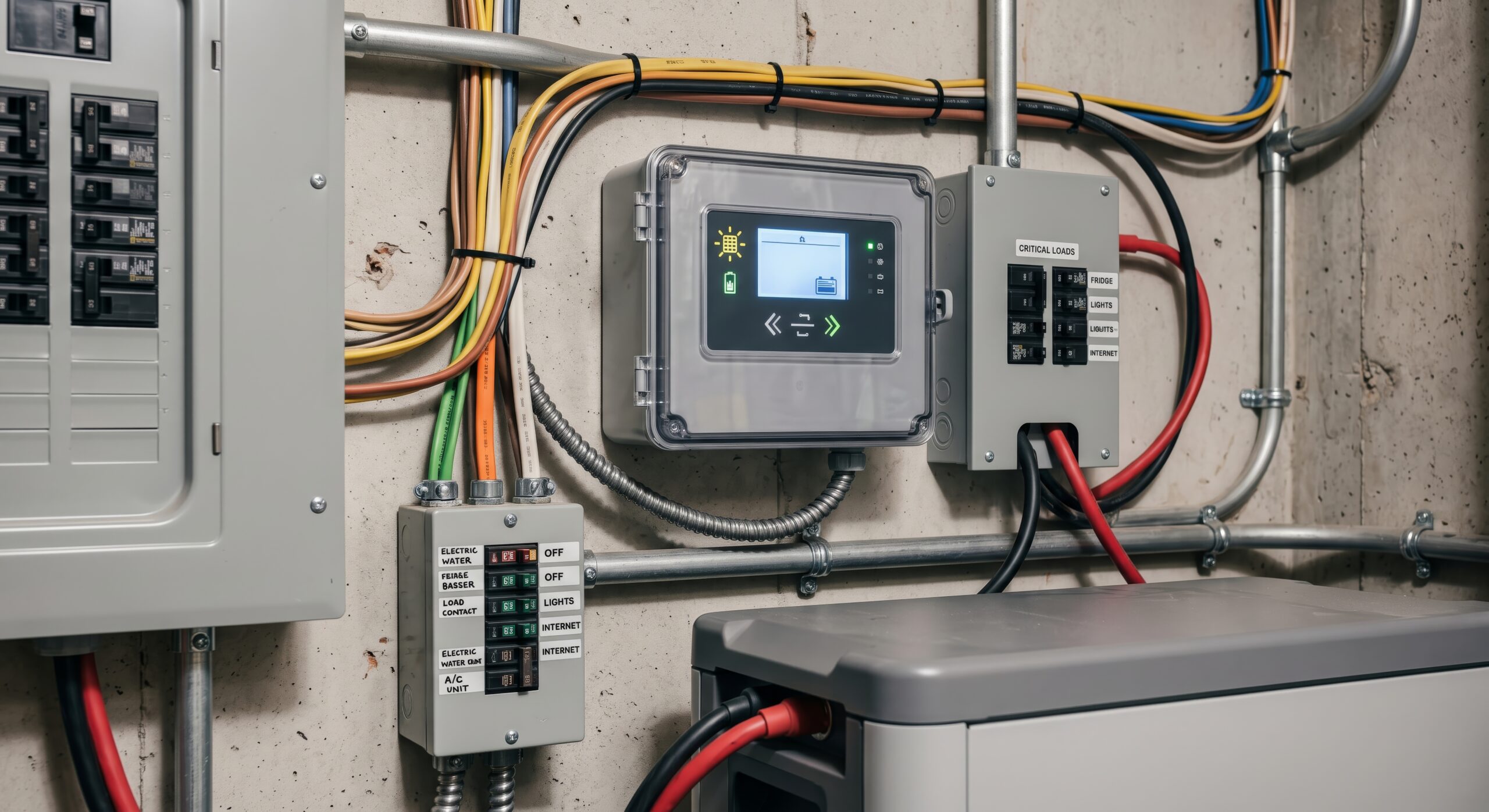
Essential loads backup means your battery is wired to support a dedicated set of circuits—think refrigerator, lights in key areas, internet, outlets for phone/laptop charging, garage door, and possibly one HVAC component (like a gas furnace blower). In an outage, those selected circuits stay energized while non-essential circuits remain off.
Whole home backup means the battery system is designed to support your home’s main panel (or a smart panel configuration) so most circuits can run during an outage. It doesn’t mean you can run everything at once without limits—large loads (AC, pool pumps, electric ovens, EV chargers) can still exceed inverter/battery capability—but it does give you far more flexibility.
The “right” choice depends on (1) what you must keep running, (2) how long you want to ride through outages, (3) whether you plan to add solar, EV charging, or electrify appliances, and (4) your home’s electrical infrastructure (main panel capacity, sub-panels, and load profile).
Why This Choice Matters More Under the Net Billing Tariff (NEM 3.0)
Under the Net Billing Tariff (NBT), new solar customers earn export credits based on an “avoided cost” structure—meaning the value of exported electricity can be much lower than the retail rate you pay when you import power. Because of that, many homeowners get better value by storing midday solar in a battery and using it later (evening/peak hours) rather than sending it to the grid.
This doesn’t automatically mean “buy the biggest battery possible.” It means sizing and configuring your battery to match your usage patterns—especially evening consumption—and pairing it with the right electrical upgrades so your system operates safely, reliably, and within code.
Quick Comparison Table: Essential Loads vs Whole Home Backup
| Category | Essential Loads Backup | Whole Home Backup |
| What’s powered in an outage | Selected circuits only (critical rooms/appliances) | Most circuits, with smart prioritization for big loads |
| Upfront complexity | Lower (often uses a critical loads sub-panel) | Higher (service equipment, integration, load control) |
| Comfort during outages | Good for essentials; limited lifestyle disruption | Best continuity; closer to normal home operation |
| Best fit for | Short outages, budget focus, gas appliances, smaller homes | Electrified homes, larger homes, high comfort needs, future expansion |
| Solar + NBT value | Strong (focus on evening self-consumption for key circuits) | Very strong (more flexibility to shift whole-home usage to stored solar) |
Note: “Whole home” still requires thoughtful design. Large loads may need load management or circuit prioritization so the system doesn’t overload during an outage.
How to Decide: A Clear, Homeowner-Friendly Checklist
1) List your true essentials (and be specific).
A refrigerator is obvious. But what about a second fridge in the garage, a tankless water heater ignition, a sump pump, or your home office? Your “essential” list is personal—and it should match how you live during a 4–12 hour outage.
2) Identify the power-hungry loads that change everything.
Central AC, electric dryers, electric ranges, pool equipment, and EV charging can quickly exceed what a single battery inverter can deliver at once. Whole home backup is most successful when paired with smart prioritization—so comfort doesn’t come at the cost of nuisance shutdowns.
3) Decide what “normal life” means during an outage.
If your goal is “keep food safe, keep the internet up, keep some lights on,” essential loads backup is often a great fit. If your goal is “keep the whole household running—multiple rooms, more HVAC flexibility, and fewer restrictions,” you’re trending toward whole home.
4) Think in two modes: backup mode and savings mode.
Under NBT, batteries often earn their keep by increasing self-consumption—using stored solar in the evening instead of buying power from the grid. More circuits on backup (or smarter control of them) can help you shift more usage into battery-powered hours.
5) Verify your electrical infrastructure is ready.
Many Bay Area homes were not originally designed for today’s loads (EV chargers, heat pumps, induction cooking, and solar + storage). A battery project may reveal the need for a main panel upgrade or sub-panel enhancements to create safe capacity and clean circuit organization—especially if you’re planning EV charging and future electrification.
For homeowners combining EV charging with solar and storage, load calculations and code-compliant design matter. California’s building standards and EV infrastructure requirements continue to evolve, and smart load management can be an important part of keeping upgrades efficient without overbuilding.
Smart Panels, Circuit Prioritization, and Why They Pair Well with Batteries
If you like the idea of whole-home backup but want guardrails, a smart panel upgrade can be a game-changer. Instead of guessing which circuits should be on a “critical loads” sub-panel forever, a smart panel can help you:
Monitor real-time circuit usage (helpful for understanding what actually drives your bill).
Prioritize backup circuits so essential needs stay powered first.
Shed non-essential loads automatically during an outage (or during expensive time-of-use periods).
Plan for expansion (EV charger now, heat pump later) without rewiring the entire backup strategy.
When designed correctly, this approach can offer a “whole home feel” without oversizing equipment just to cover worst-case scenarios.
Related service: Smart Panel Upgrade (SPAN) for real-time energy control and prioritized backup power.
Related service: Home Battery Backup Solutions designed for outage protection and better solar self-consumption.
Local Angle: What Dublin & Tri-Valley Homeowners Should Consider
Homes in Dublin and the Tri-Valley often have a mix of older electrical infrastructure and modern energy goals (EV charging, all-electric appliances, solar + storage). That’s why the best battery projects typically start with a clear picture of your existing panels and circuit layout:
Main service panel condition & capacity: If your panel is undersized or crowded, a main panel upgrade can make the entire solar/battery design safer and cleaner.
Sub-panel strategy: A sub-panel upgrade can be a practical way to expand capacity and organize circuits for solar and battery integration.
EV charger timing: If an EV (or second EV) is on the horizon, planning the charger circuit and load strategy now can prevent rework later.
Whether you’re in Dublin, Pleasanton, Livermore, San Ramon, Danville, Fremont, or San Jose, aligning your battery choice with your electrical roadmap helps avoid “patchwork upgrades” and keeps your home ready for the next decade of energy tech.
Internal resource: Main service panel replacement to support solar, storage, and EV charging.
Internal resource: Need more space and capacity? Expand safely with a sub-panel upgrade.
Internal resource: Level 2 EV charger installation with dedicated circuits and code-compliant workmanship.
Want a battery plan that matches your home’s real loads (not guesses)?
Sunlight Electri-Cal Solutions designs solar + storage systems and electrical upgrades for Bay Area homeowners—so your backup strategy, panel capacity, and long-term savings work together cleanly.
Prefer to start with FAQs? See Solar & Electrical FAQs
FAQ: Essential Loads vs Whole Home Battery Backup
Yes. Even if you back up only key circuits, the battery can still shift your solar use into the evening (self-consumption), which is often valuable under the Net Billing Tariff. The best results come from choosing essential circuits that represent meaningful evening usage.
Sometimes—depending on your AC size, inverter output, battery capacity, and whether load management is used. Many systems can support AC with the right design, but it’s not “automatic.” A proper load review is the safe way to determine what’s realistic.
Not always. Some homes can install storage with the existing service equipment, while others benefit from a main panel upgrade or sub-panel work for capacity, safety, and clean circuit organization—especially when pairing solar + storage with EV charging.
It can. EV charging is a significant load, and it often influences panel capacity decisions, load calculations, and whether smart load management is worthwhile. Planning for it up front can prevent expensive rework.
Battery storage may qualify for the Residential Clean Energy Credit if it meets IRS requirements (including minimum capacity requirements). Eligibility depends on your tax situation—always confirm with a tax professional.
Glossary (Helpful Terms)
Essential Loads: The circuits and appliances you choose to power during an outage (e.g., fridge, lights, Wi‑Fi), usually via a dedicated “critical loads” wiring approach.
Whole Home Backup: A battery configuration designed to support most of the home’s electrical system, typically with prioritization or management of large loads.
Net Billing Tariff (NBT): California’s solar billing policy for many new interconnections (often called NEM 3.0), where exported solar is credited differently than imported energy and is commonly lower than retail rates.
Self-Consumption: Using the solar energy you generate directly in your home (or storing it for later) rather than exporting it to the grid.
Load Management / Load Shedding: A strategy that limits or turns off non-essential circuits automatically to keep your battery/inverter within safe operating limits—especially helpful for “whole home” style backup.
Critical Loads Sub-Panel: A smaller panel that contains the circuits you want backed up. During an outage, the battery powers this sub-panel while other circuits remain off.
PTO (Permission to Operate): Utility approval that allows a solar (and sometimes storage) system to operate under the applicable tariff rules.